
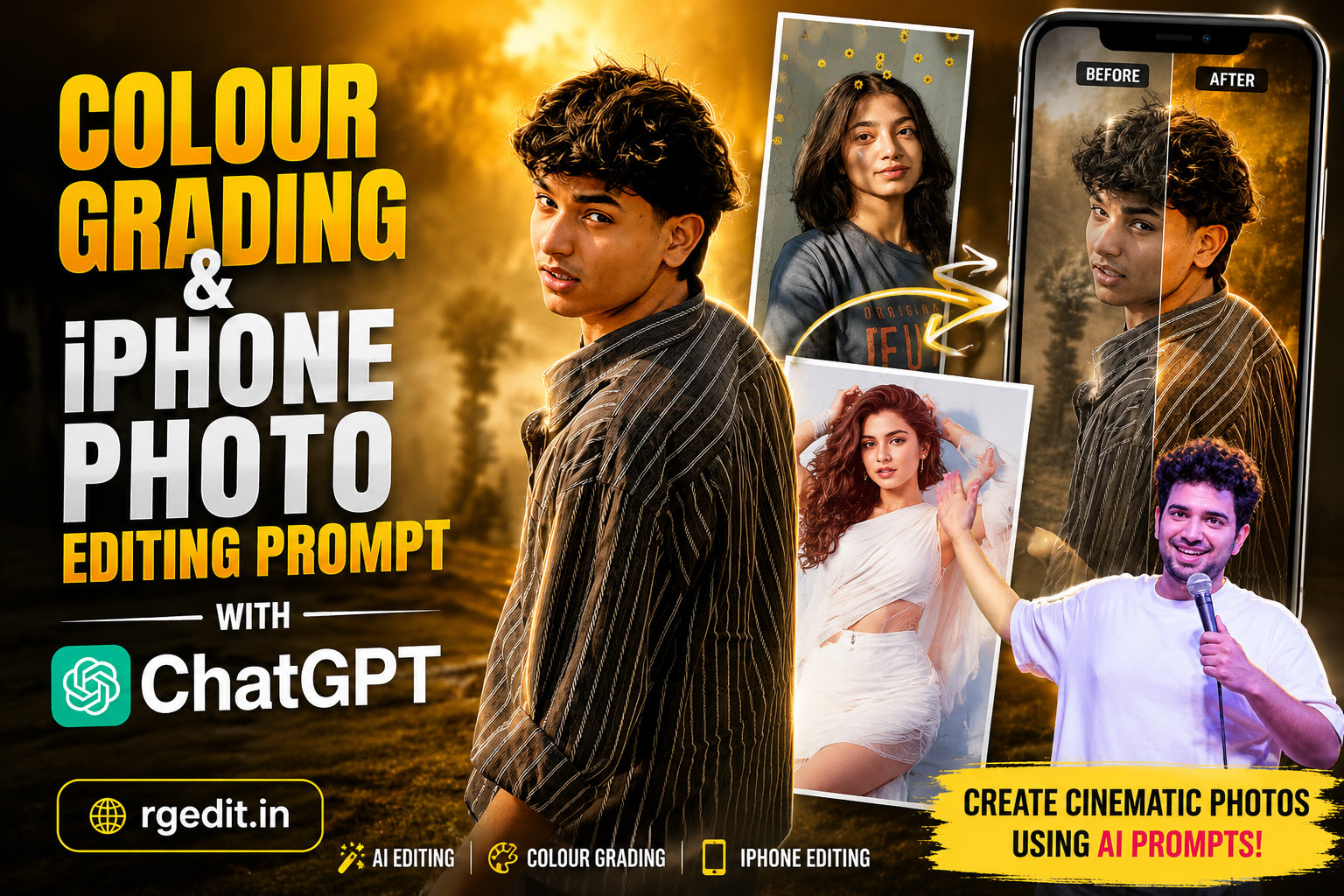
Colour Grading & iPhone Photo Editing Prompt with ChatGPT: The Ultimate AI Editing Guide (2026)
If you’ve spent time on Instagram, TikTok, Pinterest, or YouTube Shorts lately, you’ve probably noticed stunning iPhone photos with cinematic colors, professional lighting, and DSLR-quality sharpness. The best part? Many of these edits are no longer created manually in Photoshop or Lightroom.
Instead, creators are using ChatGPT photo editing prompts to generate professional-quality images in seconds. Whether you’re a content creator, influencer, photographer, or someone who simply loves aesthetic photos, AI-powered colour grading has completely changed the editing game.
In this guide, you’ll learn how to use ChatGPT for iPhone photo editing, create premium cinematic colour grading, and transform ordinary smartphone images into professional masterpieces.
What is AI Colour Grading?
Colour grading is the process of adjusting colors, lighting, contrast, shadows, highlights, and tones to create a specific mood.
Professional photographers often spend hours editing images in Lightroom or Photoshop. With ChatGPT AI prompts, the same cinematic look can now be achieved much faster.
Popular colour grading styles include:
- Golden Hour
- Moody Dark
- Cinematic Orange & Teal
- Luxury Studio
- Soft Matte
- Film Look
- HDR Natural
- Vintage Warm
- Premium iPhone Style
- DSLR Portrait Look
Best ChatGPT Colour Grading Prompt
Use the following universal prompt for premium cinematic editing:
Copy Prompt
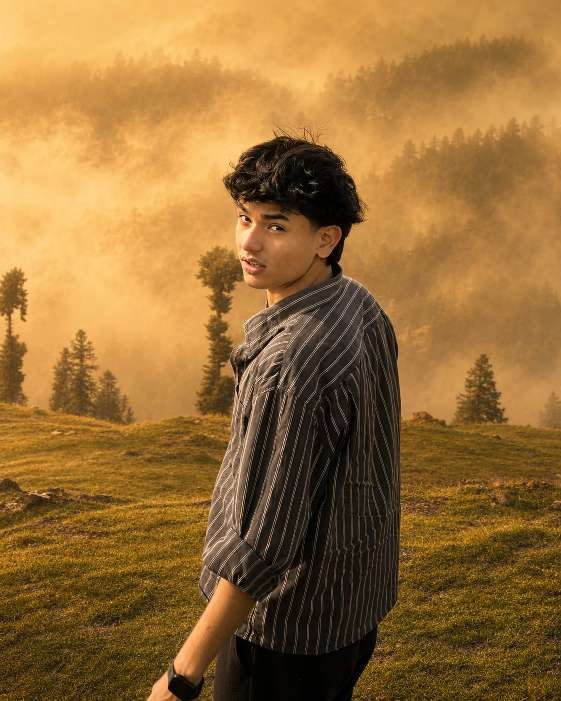
Transform this image while preserving the ORIGINAL PHOTO exactly. ======================== STRICT IDENTITY LOCK Preserve the person exactly as shown in the reference image. Do NOT change the face, hairstyle, skin tone, facial features, expression, body shape, age, clothing, footwear, accessories, pose, hand position, or body proportions. ======================== STRICT COMPOSITION LOCK Keep the original composition exactly unchanged. Do NOT crop. Do NOT zoom. Do NOT rotate. Do NOT change the camera angle. Do NOT change the focal length. Do NOT change the perspective. Keep the subject in the exact same position and scale. ======================== GOLDEN FOG FOREST LOOK ONLY Do NOT add, remove, replace, or modify any objects, trees, road, plants, or background elements. Apply an ultra-realistic premium Golden Forest cinematic color grading with rich emerald green foliage, warm golden highlights, soft amber glow, earthy brown tones, balanced HDR contrast, and natural DSLR-quality lighting. Add extremely thick, dense, natural-looking golden fog covering the entire scene from foreground to background. Create realistic atmospheric depth with soft volumetric mist between the trees and along the path. Reduce distant visibility naturally while keeping the subject perfectly sharp. Let warm golden sunrise light filter softly through the tree canopy, creating subtle volumetric light rays, glowing mist, and a luxurious cinematic atmosphere. Enhance textures, sharpness, clarity, dynamic range, shadows, and color depth. Preserve all original details while giving the image a premium Hollywood Golden Fog Forest aesthetic. Increase the image to ultra-high-definition 16K quality with photorealistic detail, crisp textures, HDR enhancement, and professional cinematic color grading. ======================== NEGATIVE PROMPT Do not change the person, face, hairstyle, clothing, pose, composition, road, trees, plants, or background layout. Do not add or remove objects, vehicles, animals, flowers, leaves, rocks, signs, buildings, benches, people, birds, butterflies, waterfalls, rivers, lakes, mountains, fences, or any extra elements. No fantasy effects, no artificial glow, no oversaturation, no cartoon style, no AI artifacts, no blurry subject, no duplicated objects, no distorted anatomy. Only apply dense golden fog, cinematic forest color grading, realistic lighting, HDR enhancement, and ultra-high-quality 16K detail.
Best iPhone Photo Editing Prompt
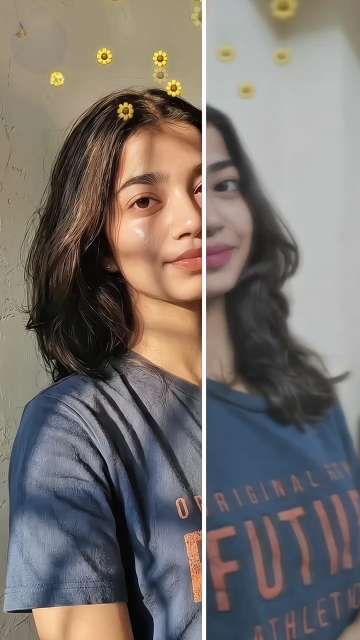
For iPhone photography, use a prompt that enhances image quality without making it look artificial.
Copy Prompt
Ultra-realistic recreation of an old vintage photo, keeping the same original face (99% likeness, no alteration). Transform into a modern high-quality digital portrait with vibrant updated colors, smooth realistic skin textures, and natural lighting. The outfit and background should be upgraded into a clean, modern aesthetic while preserving the authenticity of the original pose and expression.
Copy Prompt
Transform this image while preserving the ORIGINAL PHOTO exactly. ======================== STRICT IDENTITY LOCK Preserve the person exactly as shown in the reference image. Do NOT change the face, hairstyle, skin tone, facial features, expression, body shape, age, clothing, footwear, accessories, pose, hand position, or body proportions. ======================== STRICT COMPOSITION LOCK Keep the original composition exactly unchanged. Do NOT crop. Do NOT zoom. Do NOT rotate. Do NOT change the camera angle. Do NOT change the focal length. Do NOT change the perspective. Keep the subject in the exact same position and scale. ======================== GOLDEN FOG FOREST LOOK ONLY Do NOT add, remove, replace, or modify any objects, trees, road, plants, or background elements. Apply an ultra-realistic premium Golden Forest cinematic color grading with rich emerald green foliage, warm golden highlights, soft amber glow, earthy brown tones, balanced HDR contrast, and natural DSLR-quality lighting. Add extremely thick, dense, natural-looking golden fog covering the entire scene from foreground to background. Create realistic atmospheric depth with soft volumetric mist between the trees and along the path. Reduce distant visibility naturally while keeping the subject perfectly sharp. Let warm golden sunrise light filter softly through the tree canopy, creating subtle volumetric light rays, glowing mist, and a luxurious cinematic atmosphere. Enhance textures, sharpness, clarity, dynamic range, shadows, and color depth. Preserve all original details while giving the image a premium Hollywood Golden Fog Forest aesthetic. Increase the image to ultra-high-definition 16K quality with photorealistic detail, crisp textures, HDR enhancement, and professional cinematic color grading. ======================== NEGATIVE PROMPT Do not change the person, face, hairstyle, clothing, pose, composition, road, trees, plants, or background layout. Do not add or remove objects, vehicles, animals, flowers, leaves, rocks, signs, buildings, benches, people, birds, butterflies, waterfalls, rivers, lakes, mountains, fences, or any extra elements. No fantasy effects, no artificial glow, no oversaturation, no cartoon style, no AI artifacts, no blurry subject, no duplicated objects, no distorted anatomy. Only apply dense golden fog, cinematic forest color grading, realistic lighting, HDR enhancement, and ultra-high-quality 16K detail.
Why Are iPhone AI Photo Editing Prompts Trending?
Modern iPhones already produce high-quality images, but AI takes them a step further by enhancing details, lighting, and colors without requiring advanced editing skills.
Reasons for the growing popularity include:
- Professional-quality results
- Cinematic color grading
- Fast AI-powered editing
- Hyper-realistic enhancements
- Better lighting and contrast
- Natural skin tones
- Social media-ready photos
- Easy prompt-based workflow
- No manual editing experience needed
- Ideal for creators and influencers
This trend has become especially popular among Instagram creators, travel bloggers, photographers, and lifestyle influencers.
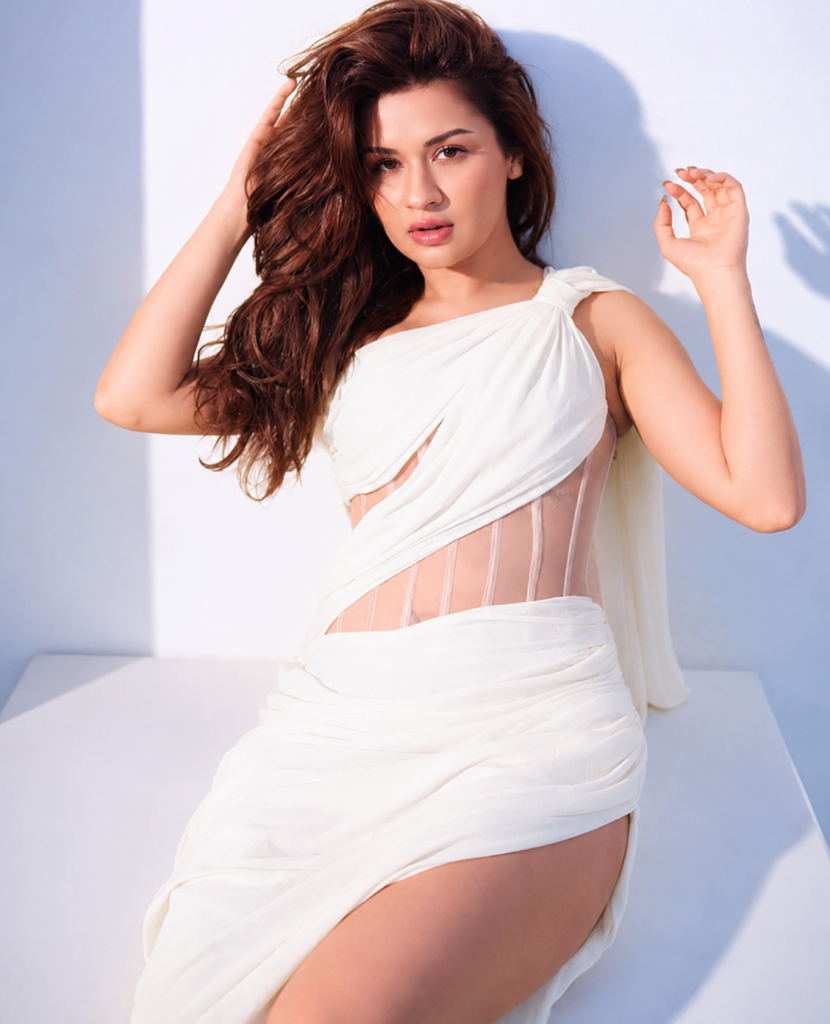
Copy Prompt
Ultra-realistic recreation of an old vintage photo, keeping the same original face (99% likeness, no alteration). Transform into a modern high-quality digital portrait with vibrant updated colors, smooth realistic skin textures, and natural lighting. The outfit and background should be upgraded into a clean, modern aesthetic while preserving the authenticity of the original pose and expression.
Tips for Better AI Colour Grading
For the most realistic results:
- Start with a high-resolution iPhone photo.
- Ensure the face is clearly visible.
- Avoid overexposed or blurry images.
- Mention identity preservation.
- Specify the desired color grading style.
- Include lighting preferences.
- Request natural skin textures.
- Ask for HDR enhancement.
- Specify 4K output quality.
A detailed prompt gives the AI clear creative direction.
Common Mistakes to Avoid
Many beginners encounter disappointing results because they:
- Upload low-quality images
- Forget identity-lock instructions
- Use vague prompts
- Overload the prompt with conflicting styles
- Ignore lighting descriptions
- Request unrealistic skin smoothing
- Skip background details
Clear, concise instructions typically produce more consistent results.
Best Uses for AI Colour-Graded Photos
Professionally edited AI portraits work well for:
- Instagram profile pictures
- Facebook posts
- WhatsApp display pictures
- LinkedIn professional portraits
- Travel photography
- Fashion blogs
- Lifestyle websites
- Portfolio images
- Pinterest graphics
- YouTube thumbnails
The clean, cinematic appearance makes these images suitable for both personal and professional branding.
Benefits of AI Photo Editing Content
AI photo editing has become one of the fastest-growing niches online.
People search for topics like:
- ChatGPT photo editing prompt
- AI colour grading
- iPhone editing prompt
- Viral AI photo editing
- DSLR photo editing prompt
- Cinematic portrait prompt
- AI portrait enhancement
- ChatGPT image editing guide
Publishing helpful tutorials around these topics can attract organic traffic from Google, Bing, and other search engines.
Final Thoughts
AI-powered colour grading has transformed modern photo editing. With the right ChatGPT prompt, you can turn an ordinary iPhone photo into a professional-quality portrait featuring cinematic lighting, realistic skin tones, premium HDR, and magazine-level sharpness—all while preserving the subject’s natural identity.
Whether you’re building a personal brand, growing on social media, or creating content for clients, ChatGPT prompts can save time and help you achieve consistent, high-end edits without mastering complex editing software.
As AI continues to evolve, mastering prompt writing will become just as important as traditional editing skills. Start experimenting with different colour grading styles, refine your prompts, and create stunning visuals that stand out in 2026 and beyond.
Related Keywords
ChatGPT Photo Editing Prompt, AI Photo Editing, iPhone Photo Editing Prompt, Cinematic Colour Grading, DSLR Photo Editing Prompt, Viral ChatGPT Prompt, AI Portrait Editing, HDR Photo Enhancement, Luxury Colour Grading, ChatGPT Image Editing.
Shailendra
Bhai
Transform this image while preserving the ORIGINAL PHOTO exactly. ======================== STRICT IDENTITY LOCK Preserve the person exactly as shown in the reference image. Do NOT change the face, hairstyle, skin tone, facial features, expression, body shape, age, clothing, footwear, accessories, pose, hand position, or body proportions. ======================== STRICT COMPOSITION LOCK Keep the original composition exactly unchanged. Do NOT crop. Do NOT zoom. Do NOT rotate. Do NOT change the camera angle. Do NOT change the focal length. Do NOT change the perspective. Keep the subject in the exact same position and scale. ======================== GOLDEN FOG FOREST LOOK ONLY Do NOT add, remove, replace, or modify any objects, trees, road, plants, or background elements. Apply an ultra-realistic premium Golden Forest cinematic color grading with rich emerald green foliage, warm golden highlights, soft amber glow, earthy brown tones, balanced HDR contrast, and natural DSLR-quality lighting. Add extremely thick, dense, natural-looking golden fog covering the entire scene from foreground to background. Create realistic atmospheric depth with soft volumetric mist between the trees and along the path. Reduce distant visibility naturally while keeping the subject perfectly sharp. Let warm golden sunrise light filter softly through the tree canopy, creating subtle volumetric light rays, glowing mist, and a luxurious cinematic atmosphere. Enhance textures, sharpness, clarity, dynamic range, shadows, and color depth. Preserve all original details while giving the image a premium Hollywood Golden Fog Forest aesthetic. Increase the image to ultra-high-definition 16K quality with photorealistic detail, crisp textures, HDR enhancement, and professional cinematic color grading. ======================== NEGATIVE PROMPT Do not change the person, face, hairstyle, clothing, pose, composition, road, trees, plants, or background layout. Do not add or remove objects, vehicles, animals, flowers, leaves, rocks, signs, buildings, benches, people, birds, butterflies, waterfalls, rivers, lakes, mountains, fences, or any extra elements. No fantasy effects, no artificial glow, no oversaturation, no cartoon style, no AI artifacts, no blurry subject, no duplicated objects, no distorted anatomy. Only apply dense golden fog, cinematic forest color grading, realistic lighting, HDR enhancement, and ultra-high-quality 16K detail.
Mk edet photo