Unrevealed Instagram Trending Photo Editing Prompt (2026)
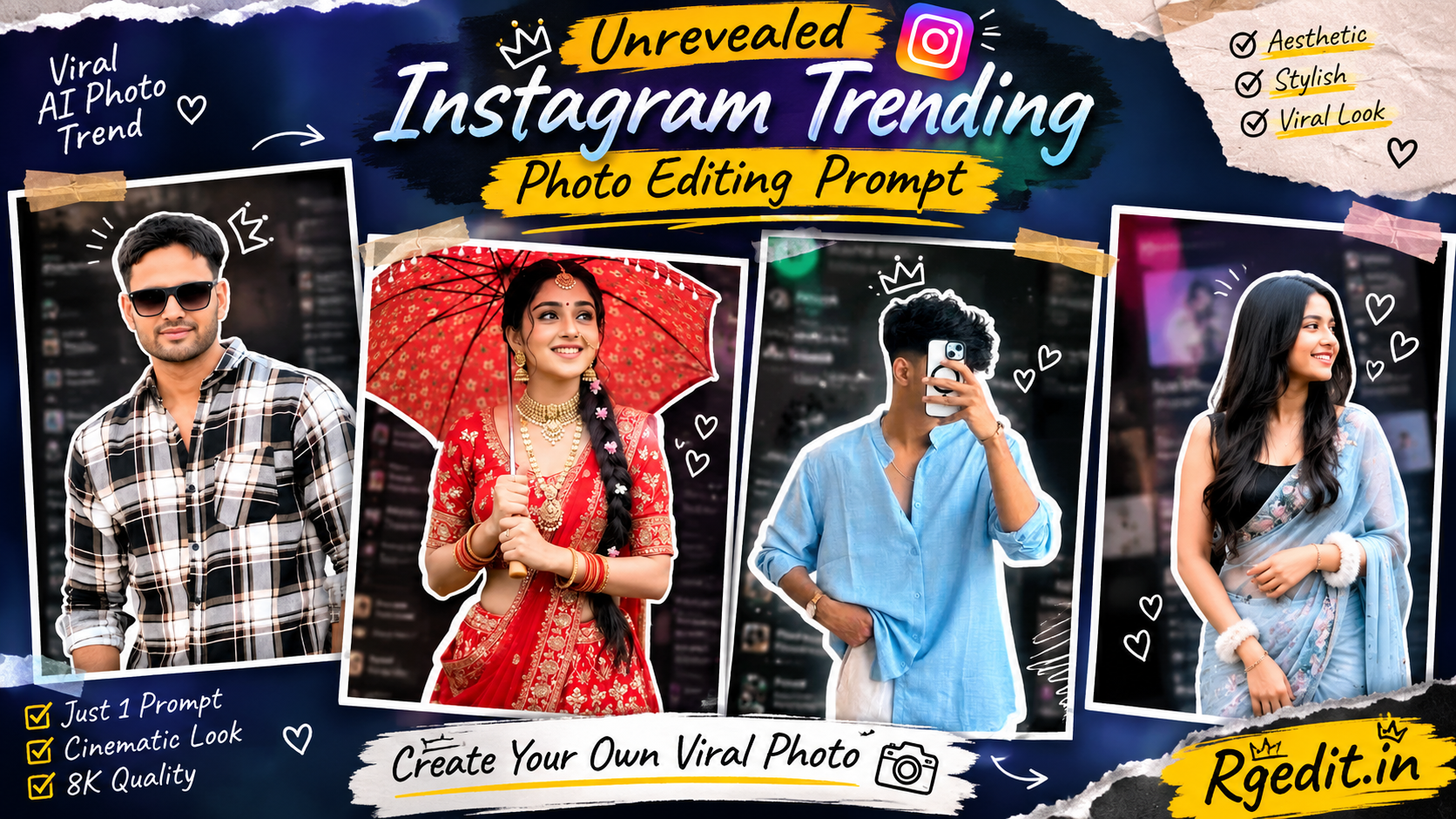
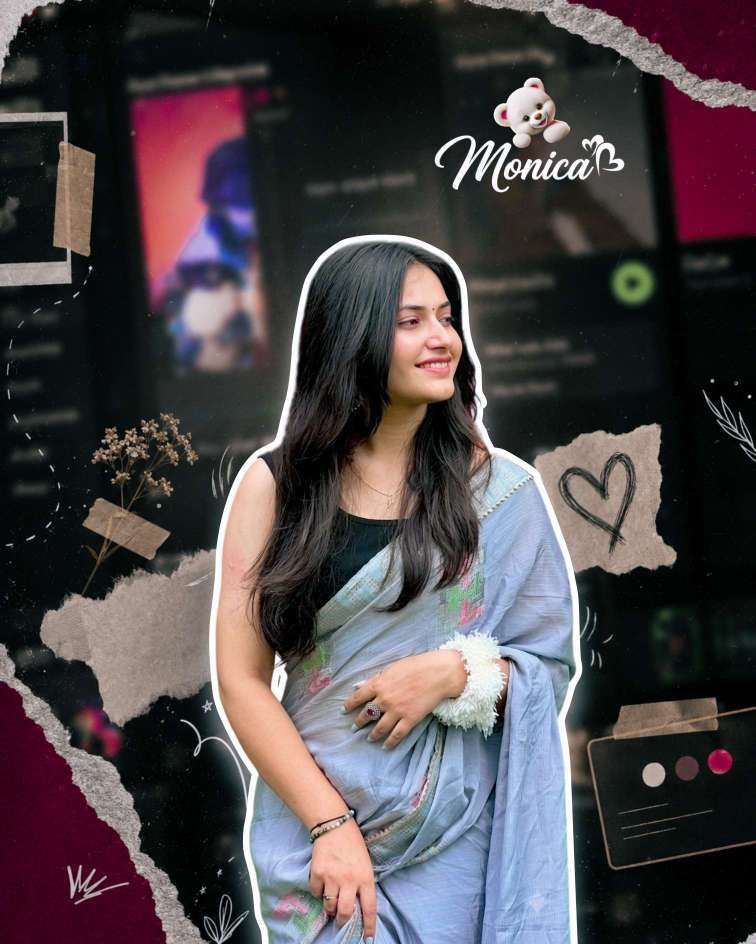
Instagram trends change almost every week, but one editing style has been dominating Reels, Stories, and Explore pages in 2026—the Scrapbook Aesthetic Photo Edit. This creative style combines music-player backgrounds, torn paper textures, white sticker outlines, cinematic lighting, doodles, tape effects, and premium color grading to create eye-catching portraits that instantly grab attention.
The best part? You don’t need Photoshop or advanced editing skills anymore. With ChatGPT AI image generation and a well-written prompt, anyone can create professional-quality scrapbook portraits in just a few clicks.
If you’ve been wondering how creators are making those premium Instagram edits that look like they came from expensive design software, this guide reveals the exact workflow you need.
What Is the Instagram Scrapbook Trend?
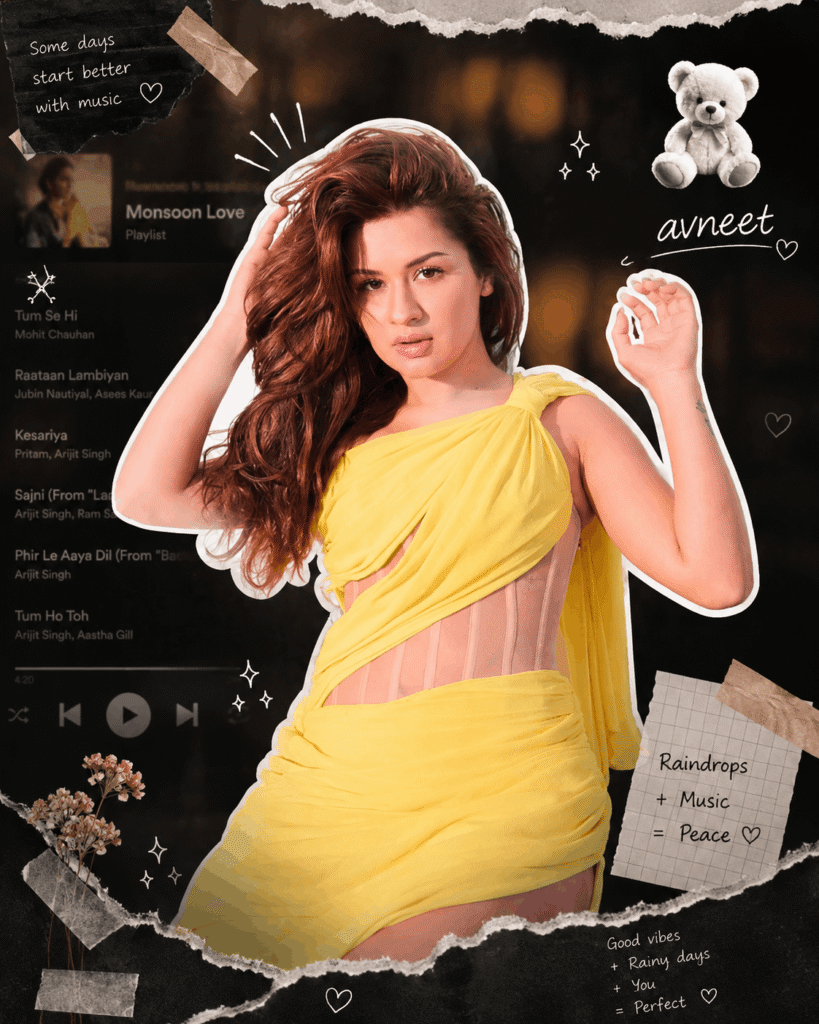
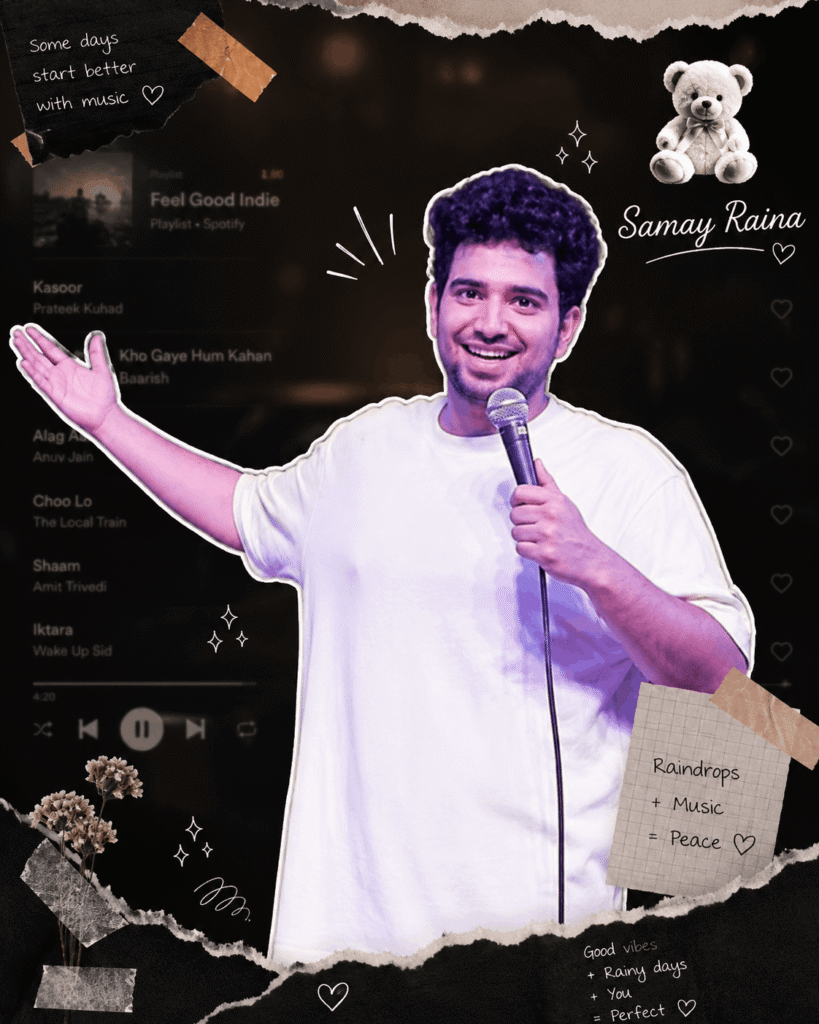
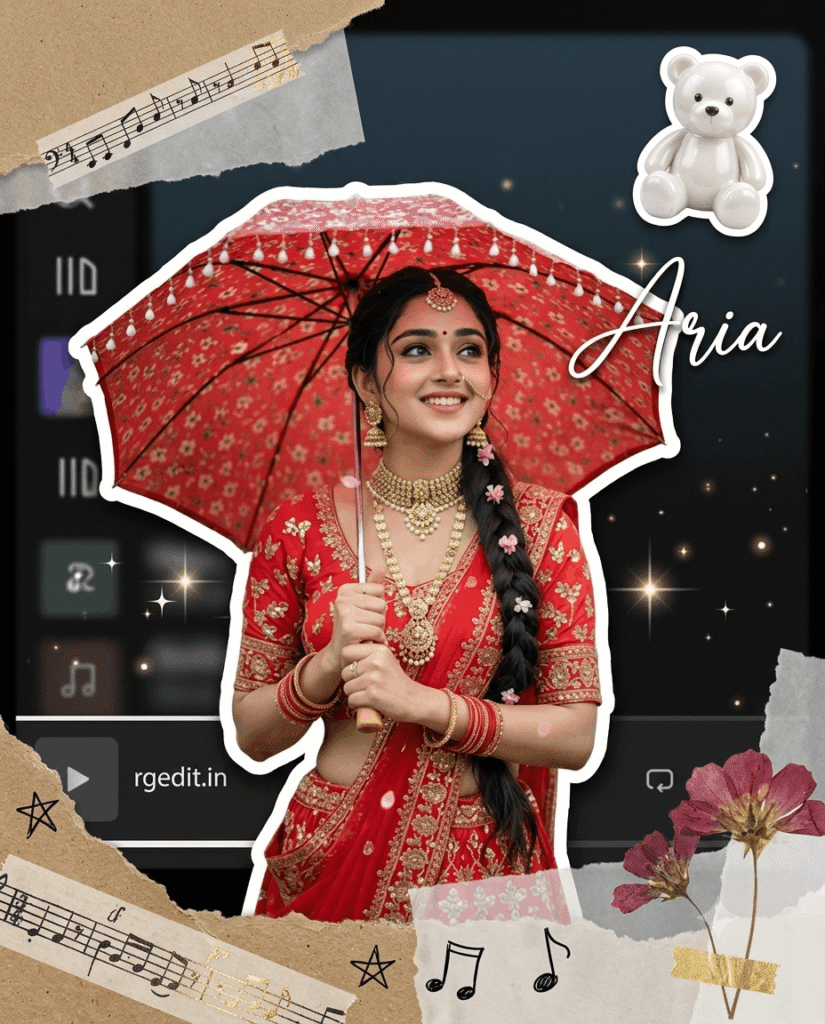
The scrapbook trend is inspired by vintage journals mixed with modern digital aesthetics. Instead of placing your photo on a plain background, the AI creates a layered design featuring:
- White sticker outline around the subject
- Dark blurred music-player background
- Torn paper textures
- Washi tape effects
- Hand-drawn doodles
- Tiny sparkles
- Cinematic lighting
- Soft shadows
- Film grain
- Premium HDR color grading
- Cute teddy sticker with custom name
The result feels artistic, stylish, and highly shareable on Instagram.
Why Is This Editing Style Going Viral?
There are several reasons why this trend has become one of the biggest Instagram aesthetics in 2026.
Premium Look
Instead of looking like a normal portrait, your image becomes a magazine-quality artwork.
Works for Everyone
Whether you’re a boy, girl, creator, influencer, traveler, or student, this style looks amazing on almost every portrait.
No Editing Skills Needed
The AI handles everything automatically. You only upload your photo and paste the prompt.
Perfect for Social Media
This editing style performs especially well for:
- Instagram Posts
- Instagram Reels Covers
- Profile Photos
- Pinterest Pins
- WhatsApp DP
- Facebook Profile
- YouTube Community Posts
- Threads
Features of This Viral Prompt
The unrevealed prompt includes several premium AI editing instructions that make the output look realistic while preserving identity.
Some of its standout features include:
- Identity lock for accurate facial preservation
- Smart portrait crop
- White sticker border
- Dark blurred music interface
- Premium scrapbook composition
- Torn paper overlays
- Decorative tape elements
- Cinematic glow
- Natural shadows
- Layered paper depth
- Sparkle effects
- 8K HDR quality
- Film grain texture
- Personalized name with teddy sticker
These details work together to produce a polished, high-end aesthetic.
Unrevealed Instagram Trending Photo Editing Prompt
Copy the prompt below and replace the custom name with your own.
How to Use This Prompt
Creating your own scrapbook edit is incredibly simple.
Step 1
Open ChatGPT with image generation support.
Step 2
Upload your portrait.
A clear image with good lighting produces the best results.
Step 3
Paste the complete prompt.
Step 4
Replace (Custom Name) with your preferred name.
Examples:
- Aryan
- Riya
- Manav
- Monica
- Samay
- Rgedit.in
Step 5
Generate the image.
Within moments, you’ll receive a premium scrapbook-style portrait.
Tips for Better AI Results
To make your generated image look even more professional, follow these tips.
Use High-Quality Photos
Higher-resolution images allow the AI to preserve facial details more accurately.
Avoid Busy Backgrounds
Although the background gets replaced, clean source images generally yield better subject separation.
Face the Camera
Portraits with a visible face tend to generate the best results.
Keep Natural Lighting
Daylight or soft lighting helps the AI maintain realistic skin tones.
Use Portrait Mode Photos
Portrait photos often create sharper cutouts and cleaner sticker outlines.
Best Images for This Prompt
This editing style works well with a wide variety of portraits, including:
- Casual outfits
- Traditional Indian wear
- Saree photos
- Kurta portraits
- Mirror selfies
- College photos
- Fashion photography
- Outdoor portraits
- Café pictures
- Travel images
- Birthday portraits
- Couple photos
- Creator branding shots
Why Identity Preservation Matters
Many AI editing prompts unintentionally change facial features, hairstyles, or skin tones. This prompt specifically emphasizes preserving the original identity by instructing the AI to keep the subject’s face, hairstyle, clothing, accessories, expression, and body proportions consistent. While AI results can still vary slightly, these instructions generally help maintain a closer resemblance to the original photo.
Common Mistakes to Avoid
Many users don’t get premium results because they make simple mistakes.
Avoid these issues:
- Uploading blurry images
- Cropping the face too tightly
- Using screenshots instead of original photos
- Low-resolution uploads
- Poor lighting
- Covering the face with objects
- Changing multiple prompt sections unnecessarily
Keeping the prompt intact usually delivers the most consistent aesthetic.
Who Should Try This Trend?
This scrapbook prompt is ideal for:
- Instagram creators
- Influencers
- Students
- Fashion enthusiasts
- Bloggers
- Travel creators
- Content creators
- Social media managers
- Photography lovers
- Digital artists
Whether you want a standout profile picture or a stylish Instagram post, this trend offers a polished and modern look.
Why This Trend Will Continue in 2026
AI-assisted photo editing is becoming faster and more accessible, and scrapbook-style compositions combine nostalgic design with modern visual effects. Because they are eye-catching and easy to personalize, they’re likely to remain popular across Instagram, Pinterest, and other visual platforms throughout 2026.
Keywords
- Instagram Trending Photo Editing Prompt
- AI Photo Editing Prompt
- ChatGPT Photo Editing Prompt
- Scrapbook Photo Editing Prompt
- Viral Instagram Photo Editing
- Aesthetic Photo Editing Prompt
- Instagram AI Photo Prompt
- ChatGPT Image Prompt
- Scrapbook AI Photo Edit
- Viral AI Photo Editing 2026
Final Thoughts
The Unrevealed Instagram Trending Photo Editing Prompt is one of the easiest ways to transform an ordinary portrait into a premium scrapbook-style masterpiece. With cinematic lighting, torn paper effects, sticker outlines, doodles, and a personalized name tag, it creates a social-media-ready design in minutes.
If you’re looking to upgrade your Instagram aesthetic without spending hours in editing software, this prompt is a great place to start. Upload a clear portrait, customize the name, generate the image, and share your new look with confidence.
Frequently Asked Questions (FAQs)
Is this prompt free to use?
Yes. You can copy and customize the prompt for your own AI-generated images, subject to the terms of the AI tool you’re using.
Can I use selfies?
Absolutely. Selfies, portraits, and half-body photos generally work well.
Does it work for boys and girls?
Yes. The prompt is designed to preserve the original subject while applying the same scrapbook aesthetic.
Can I change the name in the top-right corner?
Yes. Replace the placeholder with your preferred name, username, or branding such as Rgedit.in.
Is Photoshop required?
No. The goal of this prompt is to let the AI generate the scrapbook effect without requiring manual editing in Photoshop.
THANKS FOR VISITING…..