
🪄 Introduction – Casual Look और AI Editing का मेल
Photo in Casuals Dress with Google Gemini – आज के समय में हर कोई अपनी तस्वीरों को सोशल मीडिया पर यूनिक और प्रोफेशनल लुक देना चाहता है। पहले जहाँ फोटो एडिटिंग के लिए कई ऐप्स और मैन्युअल टूल्स की ज़रूरत होती थी, अब Google Gemini AI ने सब कुछ आसान बना दिया है। अगर आप casual dress में photo shoot करते हैं, तो Google Gemini आपकी तस्वीरों को cinematic, aesthetic और natural टच के साथ एडिट कर सकता है।
यह ब्लॉग बताएगा कि कैसे आप अपनी casual photos को Google Gemini की मदद से एक प्रोफेशनल मॉडल-लुक में बदल सकते हैं।

PROMPT
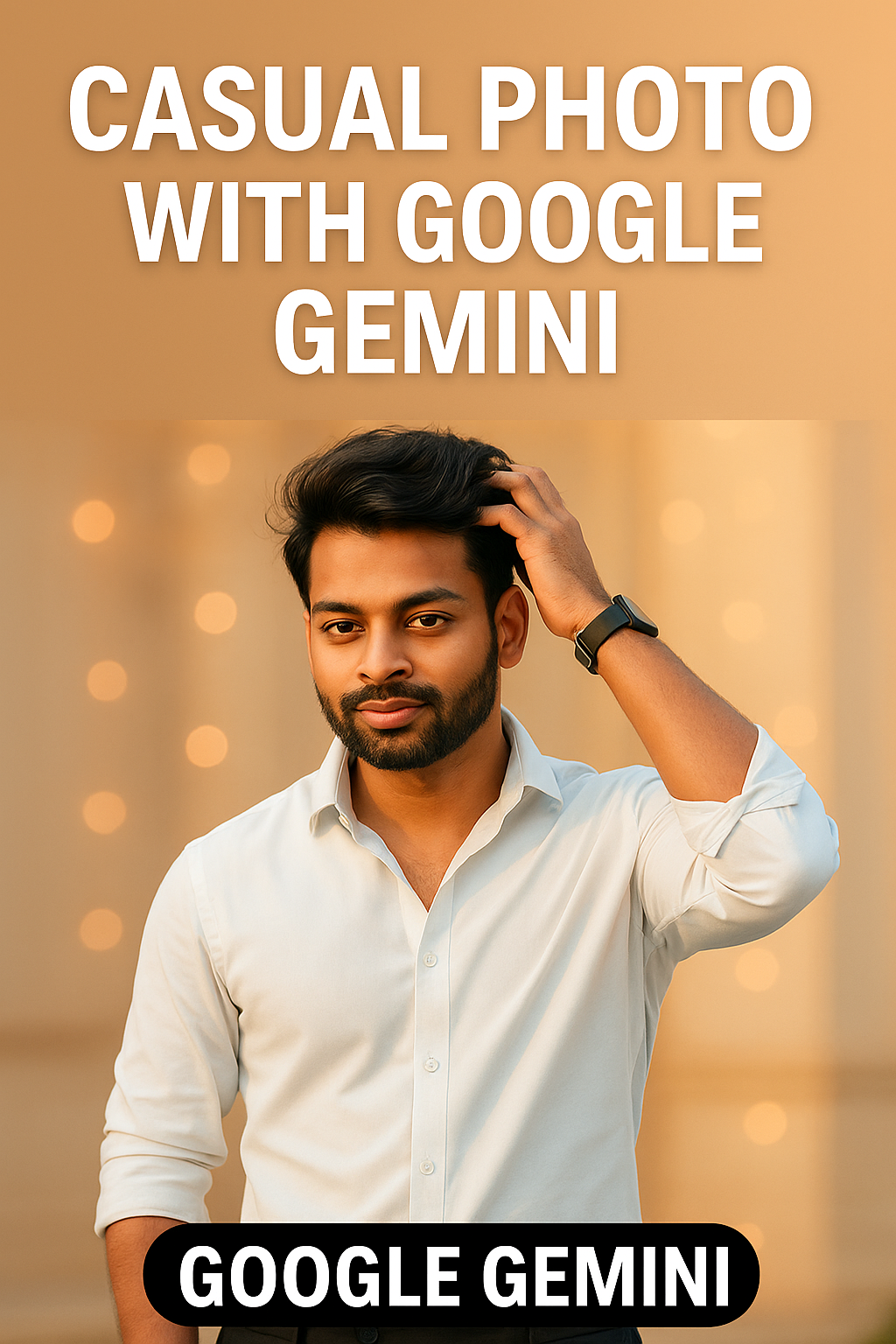
Ultra-realistic cinematic 8k portrait of a stylish person standing. He is wearing a white pale-blue rolled up sleeves shirt and black pants. Face with the face from the uploaded image, keeping the facial features exactly the same. tousled hair. He poses confidently with one hand in pocket and the other resting casually, looking sideways with a cool expression. The background has soft beige architecture and blurred light, creating a royal and luxurious vibe. Natural lighting, sharp facial details, smooth skin texture, golden tone color grading, and high-definition depth of field.
💡 Google Gemini क्या है?
Google Gemini गूगल का नया AI-powered multimodal model है जो text, image और video सब कुछ एक साथ समझ सकता है। इसकी सबसे खास बात यह है कि यह सिर्फ जानकारी देने के लिए नहीं बल्कि क्रिएटिव कंटेंट और एडिटिंग के लिए भी बेहतरीन टूल है।
अगर आप फोटो एडिटिंग, डिजाइनिंग या AI photography में रुचि रखते हैं, तो Google Gemini आपकी तस्वीरों में depth, clarity और cinematic style जोड़ सकता है।
उदाहरण के लिए, आप सिर्फ इतना prompt दे सकते हैं:
“A young man in a white casual shirt, soft golden light, cinematic background with bokeh effect – Google Gemini edit”
और कुछ ही सेकंड में आपकी फोटो magazine-style portrait में बदल जाएगी।

PROMPT
Ultra-realistic cinematic portrait of a stylish person standing against an elegant marble pillar in warm golden sunlight. He is wearing a white pale-blue rolled up sleeves shirt and black pants. Face with the face from the uploaded image, keeping the facial features exactly the same. tousled hair. He poses confidently with one hand in pocket and the other resting casually, looking on camera with a cool expression. The background has soft beige architecture and blurred light, creating a royal and luxurious vibe. Natural lighting, sharp facial details, smooth skin texture, golden tone color grading, and high-definition depth of field. Use 100% uploaded image face don’t change the facial features same.
👔 Casual Dress Photoshoot Tips – Look Natural, Feel Confident
Casual look हमेशा classy और timeless रहता है। अगर आप अपनी फोटो को natural yet stylish दिखाना चाहते हैं, तो ये कुछ टिप्स अपनाएँ:
- Simple Outfit Choose करें – White, sky blue, beige जैसे हल्के रंग casual look में सबसे अच्छे लगते हैं।
- Fit Matters – न ज़्यादा टाइट, न ज़्यादा ढीला; सही फिटिंग आपके confidence को बढ़ाती है।
- Natural Lighting में Shoot करें – सुबह या शाम का “golden hour” आपकी फोटो को cinematic tone देता है।
- Pose Confidently – कैमरे के सामने relaxed रहें, hands-in-pocket या casual walk pose बेस्ट रहते हैं।
- Background पर ध्यान दें – Soft light, arches या bokeh background आपकी फोटो को royal look देते हैं।

PROMPT
Ultra-realistic cinematic portrait of a stylish person standing. He is wearing a white pale-blue rolled up sleeves shirt and black pants. Face with the face from the uploaded image, keeping the facial features exactly the same. tousled hair. He poses confidently with one hand in pocket and the other resting casually, looking sideways with a cool expression. The background has soft beige architecture and blurred light, creating a royal and luxurious vibe. Natural lighting, sharp facial details, smooth skin texture, golden tone color grading, and high-definition depth of field
🎨 Google Gemini के साथ Casual Photo Editing कैसे करें
अब बात करते हैं कि आप अपनी casual photos को Google Gemini की मदद से कैसे enhance कर सकते हैं:
- AI Prompting का उपयोग करें – Google Gemini में creative prompts डालकर आप background, lighting, और mood बदल सकते हैं।
- Lighting Adjustment – Gemini natural lighting को balance करता है ताकि आपकी skin tone realistic लगे।
- Bokeh & Blur Effect – Background blur करके subject को sharp फोकस में लाता है।
- Color Correction – Warm tones (golden, peach, beige) से फोटो में cinematic glow आता है।
- Sharpness & Detailing – AI automatically फोटो की clarity बढ़ाता है ताकि output crystal clear लगे।

PROMPT
Ultra-realistic cinematic portrait of a stylish person standing against an elegant marble pillar in warm golden sunlight. He is wearing a white pale-blue rolled up sleeves shirt and black pants. Face with the face from the uploaded image, keeping the facial features exactly the same. tousled hair. He poses confidently with one hand in pocket and the other resting casually, looking sideways with a cool expression. The background has soft beige architecture and blurred light, creating a royal and luxurious vibe. Natural lighting, sharp facial details, smooth skin texture, golden tone color grading, and high-definition depth of field.
📸 Why Choose Google Gemini for Casual Dress Photos
Google Gemini सिर्फ एक editing tool नहीं बल्कि एक AI assistant है जो आपकी creativity को next level तक ले जाता है।
यहाँ कुछ reasons हैं कि क्यों लोग Gemini से casual photos edit करना पसंद करते हैं:
- One-click photo enhancement
- Natural portrait lighting
- Professional-grade color tone
- Background removal और depth-effect
- High-resolution export option
- Trendy looks perfect for Instagram, Facebook और blog feature images


PROMPT
Ultra-realistic cinematic 8k portrait of a stylish person standing. He is wearing a white pale-blue rolled up sleeves shirt and black pants. Face with the face from the uploaded image, keeping the facial features exactly the same. tousled hair. He poses confidently with one hand is adjusting her hair. looking sideways with a cool expression. The background has soft beige architecture and blurred light, creating a royal and luxurious vibe. Natural lighting, sharp facial details, smooth skin texture, golden tone color grading, and high-definition depth of field. Use 100% uploaded image face don’t change the facial features same.
🔍 Keywords
Google Gemini photo editing, casual dress photoshoot ideas, AI photo editing 2025, Google Gemini AI photography, stylish casual look photo, Gemini photo enhancement, best AI photo editing tool
🧠 Pro Tips for Perfect AI Casual Photos
- AI prompt में “cinematic soft light” या “bokeh background” जैसे keywords ज़रूर डालें।
- Natural facial expressions रखें — overposed look avoid करें।
- Background selection करते समय symmetry और balance पर ध्यान दें।
- Gemini का “auto-enhance” feature use करें ताकि फोटो balanced लगे।
- Final export हमेशा high-resolution में करें ताकि quality sharp बनी रहे।
💫 Conclusion – Style मिले Smart Technology से
अगर आप एक ऐसी फोटो बनाना चाहते हैं जो simple yet stunning दिखे, तो Google Gemini AI आपके लिए perfect choice है। यह न सिर्फ आपकी casual look photo को enhance करता है बल्कि उसे एक creative story में बदल देता है।
सिर्फ कुछ सही Viral prompts और natural poses के साथ, आप अपनी casual dress में photos को professional touch दे सकते हैं — वो भी बिना किसी expensive setup या editing app के।
Google Gemini के साथ casual photo editing आज का नया ट्रेंड है — जहाँ स्टाइल और टेक्नोलॉजी साथ-साथ चलते हैं।
तो अब आपकी बारी है! अपनी casual look photos को Google Gemini से edit करें और सोशल मीडिया पर अपने अगले viral post की शुरुआत करें।
ABOUT ME
Rgedit.in, and my real name is Manav . I’m a social media influencer and a full-time YouTuber with over 30k subscribers. or 500k followers in instagram I create content about photo editing, reel video editing, and CapCut templates, and bing image creating prompts,which I share on my Instagrams
thanks for visit my website