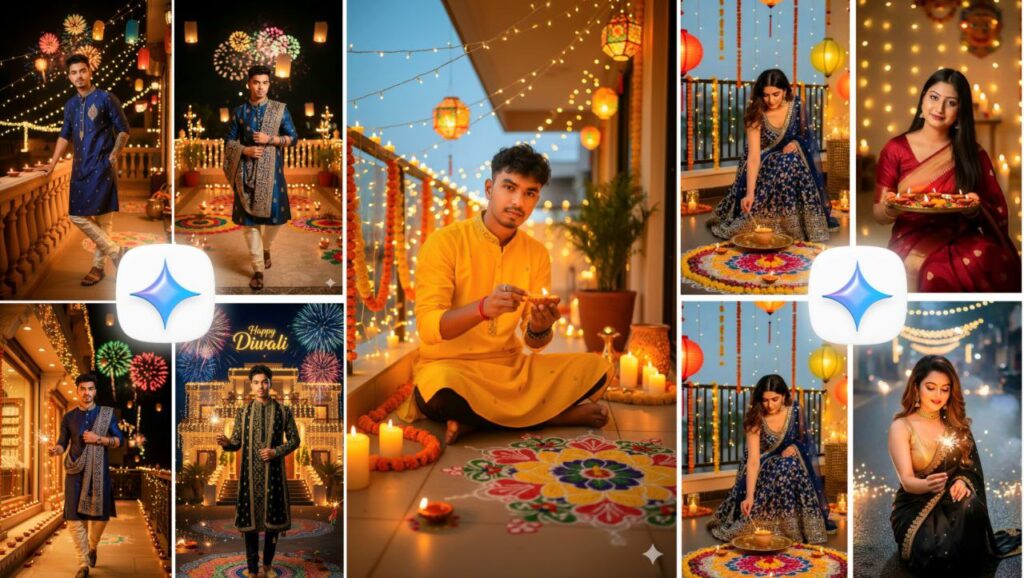

Diwali, the Festival of Lights, symbolizes victory of light over darkness and good over evil. Homes shine with diyas, fireworks fill the sky, and people dress in vibrant traditional outfits.In 2025, Google Gemini Photo Editing has transformed how people celebrate and share Diwali online. Instead of spending hours editing photos, Gemini’s AI technology lets you create ultra-realistic Diwali-themed photos in seconds — all through simple text prompts.Whether you’re a photo editor, content creator, influencer, or blogger, this is your ultimate guide to Diwali Google Gemini Photo Editing for your website and social media growth.
What Is Google Gemini Photo Editing?
Google Gemini is Google’s latest generation of Artificial Intelligence that merges text, images, and creativity into one platform. Unlike traditional editing tools, Gemini understands natural language prompts and generates professional-quality photos instantly.With Gemini, you can:Add Diwali lighting and decorations automatically.Preserve real facial features with perfect accuracy.Enhance photos with cinematic color grading.Generate 3D visual effects for a movie-like look.
Why Google Gemini Is Perfect for Diwali Photo Editing
Here’s why Gemini is trending for Diwali 2025 photo edits:1. AI-Generated Glow Effects: Add diya lights, fireworks, and sparkler effects in seconds.2. Traditional Indian Themes: Sarees, kurtas, rangolis, and festive jewelry are easily added.3. Same Face Accuracy: Keep your exact face and expressions even after full AI transformation.4. High-Resolution Output: Perfect for websites, posters, or social media campaigns.5. Quick and Easy: No Photoshop or Lightroom skills needed — just type and generate.
ALL PROMPT ⤵️
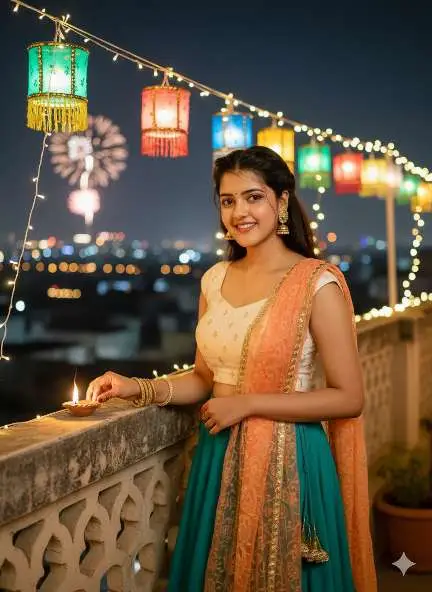
Prompt⤵️
Ultra-realistic 8K DSLR Happy Diwali rooftop portrait of the same young Indian woman (face, hairstyle, and features must remain 100% identical to the uploaded reference, no changes). She is wearing a simple modern Indo-western festive outfit – a sleeveless crop top paired with a flowy long skirt and a light dupatta draped casually over one shoulder, accessorized with delicate earrings and bangles. Captured in a slightly wider waist-up shot, she gently places a diya on the rooftop railing while smiling warmly.Behind her, decorative lanterns and fairy lights glow brightly, with blurred fireworks and the Jaipur city skyline in the background. Cinematic shallow depth of field, dreamy golden festive tones, hyper-realistic details, professional DSLR 8K clarity.
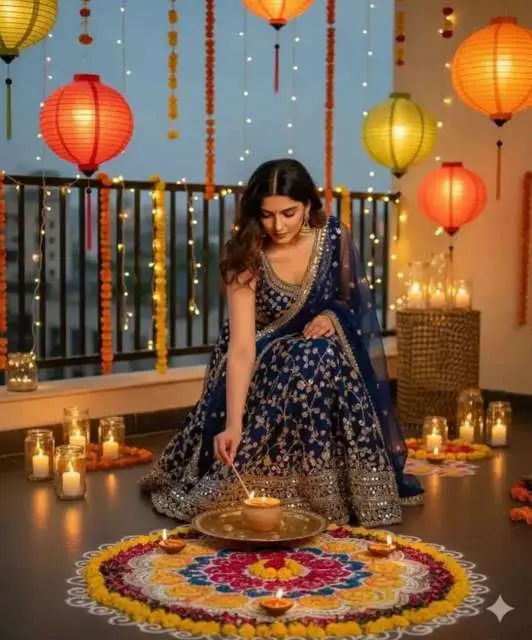
Prompt⤵️
Ultra realistic 4K HD Diwali festival scene, a beautiful young woman wearing a stylish traditional lehenga, gracefully lighting an earthen diya lamp. Her face must remain exactly the same as in the reference photo, no face change. Background is outdoor with a modern festive look – balcony or terrace decorated with fairy lights, lanterns, glowing candles, flower garlands, and elegant rangoli Warm golden cinematic lighting, natural skin tone, high quality, 100% matching my face
Prompt⤵️
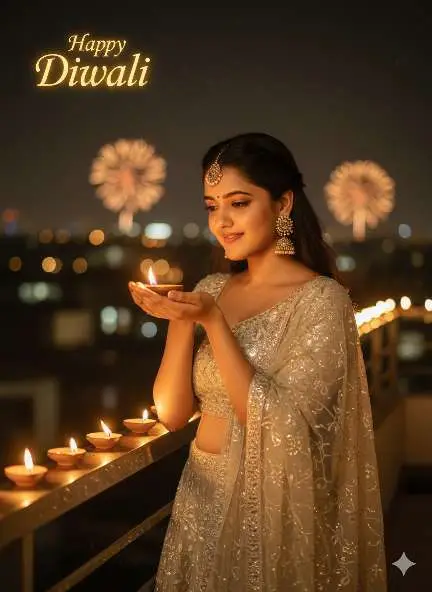
Ultra-realistic festive portrait of a beautiful young Indian woman celebrating Diwali on a rooftop at night. She is wearing a shiny silver lehenga with a matching dupatta draped gracefully, traditional jewelry including large earrings and a maang tikka. She is gently holding a glowing diya (oil lamp) in both hands close to her face, with a soft smile and warm expression. The diya’s flame illuminates her face softly. The rooftop edge is lined with several glowing diyas creating a golden trail of light. The background shows blurred city lights (bokeh effect) and warm festive ambience. On the top left, glowing text reads “Happy Diwali.” The lighting should be warm, golden, and cinematic. The woman’s face should match exactly the reference photo without any distortion or mismatch — same features, same expression, same angle, and same elegance.
prompt⤵️
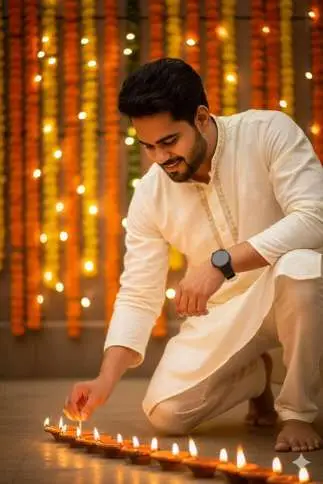
Ultra-realistic BK DSLR waist-up festive photo of the same young man (face must remain identical, no changes). He wears a cream-white kurta with subtle golden embroidery and a round black smartwatch.Kneeling slightly, he gently lights a row of traditional diyas with a matchstick, his face glowing warmly in the soft diya light. Background decorated with marigold flowers, fairy lights hanging across the wall, creating a serene and devotional Diwali mood. Cinematic shallow depth of field. ultra-realistic textures, warm golden tones, professionalDSLR BK quality.
Prompt ⤵️
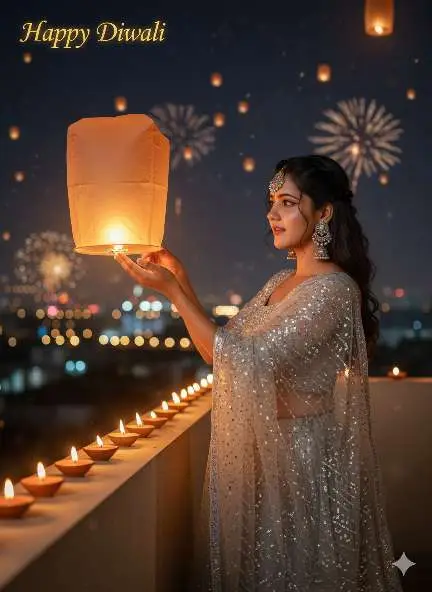
Ultra-realistic cinematic Diwali night scene of a beautiful young Indian woman standing on a rooftop, wearing a silver lehenga and transparent dupatta with sparkle details. She is smiling and looking up while releasing a glowing orange sky lantern into the night sky filled with other lanterns. Her jewelry includes large earrings and a maang tikka. The rooftop edge is decorated with neatly arranged clay diyas glowing warmly. The background shows bokeh city lights, soft festive ambience, and a golden “Happy Diwali” glowing text on the top left. The lighting should be warm, golden, and festive. The woman’s face must match exactly the reference photo without distortion or mismatch — same expression, same pose, and same elegance.
How To Create Diwali AI Photos Using Google Gemini
Follow these simple steps to create your own Diwali-themed AI photos:Step 1: Open Google GeminiGo to Google Gemini on your browser or mobile app. Sign in using your Google account.Step 2: Upload Your Photo (Optional)If you want your face or a specific person to appear, upload their image first. This helps Gemini maintain facial accuracy.Step 3: Write a Diwali PromptType your creative description clearly. Example:> “Ultra-realistic portrait of an Indian boy wearing kurta pajama, lighting a sparkler under warm festive lights, surrounded by floating diyas.”Step 4: Click GenerateGemini’s AI will analyze your text and image to create a perfect Diwali photo in seconds.Step 5: Customize and EnhanceYou can further adjust color tones, lighting, or add 3D effects for a cinematic Diwali atmosphere.
Trending Diwali Google Gemini Prompt Ideas
A young Indian couple holding diyas and smiling under golden fairy lights during Diwali night.”“A cinematic 3D image of a boy lighting fireworks with glowing sky lanterns in the background.”“A woman wearing a lehenga decorating her home with rangoli and candles.”“Realistic close-up portrait of a man holding a diya, warm light reflecting on his face.”“Family Diwali celebration with children playing with sparklers in front of a house full of lights.”“Traditional Indian temple decorated with diyas and lanterns, glowing at night.”“3D digital art of Diwali festival with fireworks and shining golden bokeh background.”You can modify these prompts by adding your name, outfit style, or background type for a personalized result.
Advanced Editing Tips for Perfect Diwali Photos
Once your photo is generated by Google Gemini, you can make it even better with these tricks:Add glow layers using Gemini’s “light intensity” options.Enhance eyes and skin tone for a soft festive look.Use warm golden filters to match the Diwali vibe.Adjust depth-of-field for a cinematic 3D blur effect.Combine multiple prompts to create group celebrations or composite images.
Conclusion
This Diwali, light up your digital world with Google Gemini AI Photo Editing. Whether you want to create 3D cinematic portraits, traditional festive selfies, or glowing night scenes — Gemini gives you professional results with a single text prompt.From influencers to photographers, everyone can now capture the true spirit of Diwali using advanced AI. No complex tools, no long edits — just creativity powered by Gemini.
ABOUT ME
Rgedit.in, and my real name is Manav . I’m a social media influencer and a full-time YouTuber with over 30k subscribers. or 500k followers in instagram I create content about photo editing, reel video editing, and CapCut templates, and bing image creating prompts,which I share on my Instagrams
thanks for visit my website